🕐 10:00 AM - 5:00 PM, MON - SAT 📧 care@dscregistration.in ☎ (+91) 9031675086
DSC Portal

Private Consultancy Portal

We are a private consultancy offering Digital Signature Certificates and USB Tokens in bulk for individuals, businesses, organizations, and firms to access government portals. We are not affiliated with any government or official authority.

How to Download Digital Signature Certificate (DSC)- Complete Guide
how to apply for Digital Signature Certificate

In today's digital world, most official and business workflows are completed online, and in this process, a Digital Signature Certificate (DSC) plays a key role in making these transactions secure and legally valid. Whether you are a business owner, professional, or individual, having downloaded and access to your DSC is essential for filing returns, signing documents, and completing registrations smoothly.

In this guide, we will walk you through the simplest process from installing the dsc drivers to downloading your digital signature certificate step by step, clearing all your doubts and confusions.

Step-by-Step Process to Download your DSC Online

1
Step 1

Install the Token Driver

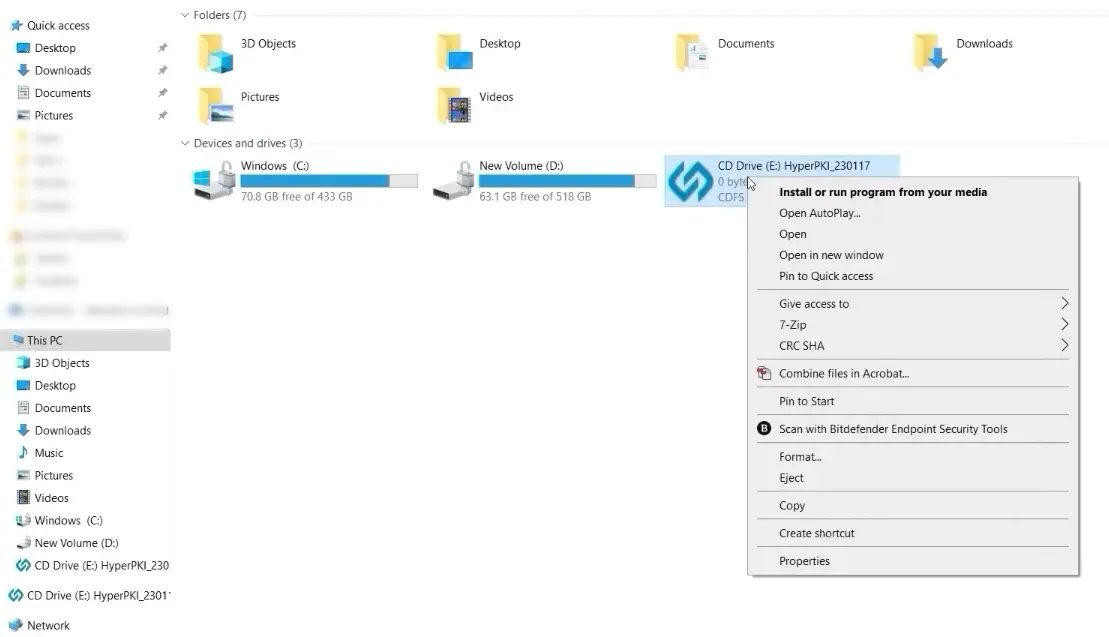
Connect the USB Token, navigate the "This PC", Navigation Pane, click on the CD Drive file, and open it.
CD Drive in This PC
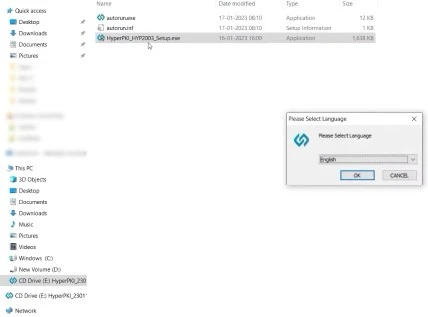
Select the preferred language and click on the "OK" button.
Language selection screen
Click on the “Finish” button to proceed
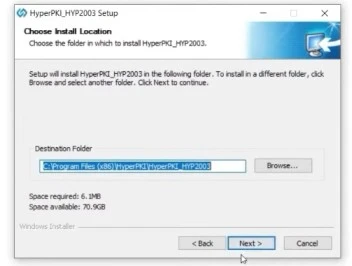
Choose the “Destination Folder” where you want to save your file and click on the Next button
Destination folder selection
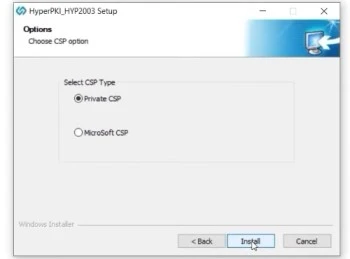
Select the “Private CSP” option and click on Install. After installation is completed, click on the finish button.
Private CSP selection
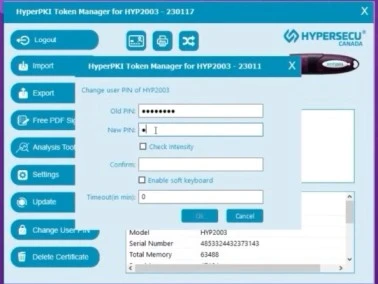
Search for the installed HyperPKI Token Manager in the search bar of Windows. Click on the login option and enter the default User PIN12345678, and after that, click on change User PIN, fill out the new PIN, which contains a minimum of 8 characters, and proceed with OK.
HyperPKI Token Manager PIN change
2
Step 2

Download the Digital Signature Certificate
Go to the Emudhra website https://emudhradigital.com/
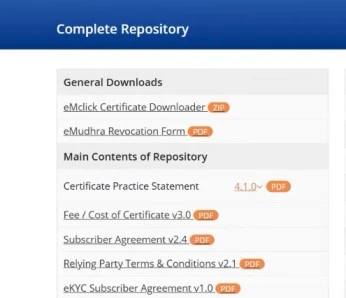
Click on “Complete Repository available in the footer of the website, and then click on the "eMclick Certificate Downloader" option.
Complete Repository page
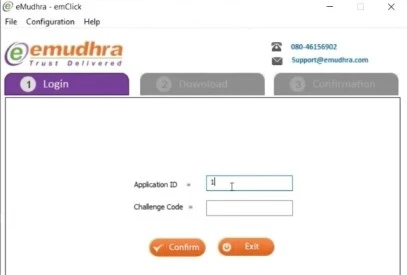
Now fill in the “Application ID” and “Challenge Code” received in your registered email ID or mobile number after approving your application.
Application ID and Challenge Code form
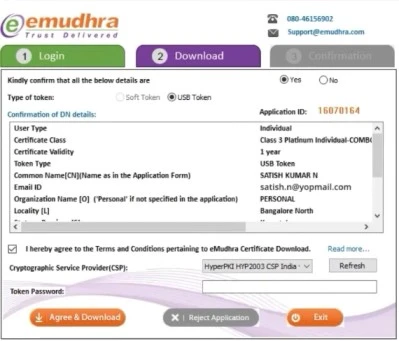
Choose the HyperPKI HYP 2003 Cryptographic Service Provider (CSP) and enter the Token Password, then click on the “Agree and Download” button.
CSP selection and download screen
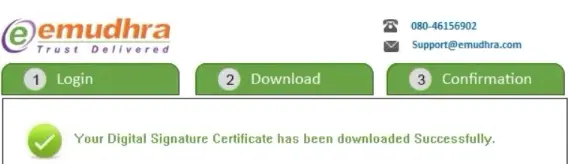
Now, the “Successfully Downloaded Digital Signature Certificate” message will show up.
Success confirmation message
3
Step 3

View the Certificate

Again, open HyperPKI Token Manager and click on the login button and enter the User PIN; the name of the certificate holder will appear with the public key and private key.

Conclusion

Downloading the Digital Signature Certificate is not as complicated as it may seem. You just need to follow the right steps and use a trusted platform to make the process quick and easy. A DSC not only makes your online work faster but also keeps your data safe and secure. Whether you are using it for business filings or personal needs, having a properly functioning DSC gives you confidence while making transactions online.

Frequently Asked Questions

Yes, you can easily download your Digital Signature Certificate once your DSC Registration is complete and you have received your confirmation email with the challenge code and Application ID.
If your DSC download fails, you need to fix these issues first. Check the internet connection, ensure the USB token is properly connected, install or update the token driver, restart your browser and retry. Check the details you are entering, try another USB port or system, use the supported browser (like Internet Explorer or updated Chrome)
No, you can't download DSC unless you have a USB token, because in the downloading process, the DSC is stored in the USB token to start the further filing and signing process without any error.
While downloading your Digital Signature Certificate, you typically need your application number, Challenge Code, token password, registered mobile/email, and sometimes OTP verification.

Related Articles:

DSC Guide
How to apply for a Digital Signature Certificate
4 min read · 2026