
Download Digital Signature Certificate (DSC) Online
In today’s digital-first environment, DSC Registration Online is essential for businesses, professionals, and individuals for making secure online transactions, e-filing, and document authentication. Many people often get confused after successful DSC verification when it comes to downloading it. Understanding the full process makes it simpler and helps you save time while avoiding unnecessary delays.
In this guide, we will streamline the downloading process to help you to understand better.
Why do you need to download DSC Online?
DSC is important for filing across government portals by verifying the identity of the signer in a legally valid way. Not having the downloaded DSC leads to rejection of your documents while filing with the government portal, and you could miss the deadline for your business filing. Downloaded DSC ensures faster approvals and processing by reducing paperwork and manual verification.
Step-by-Step DSC Downloading Process
Follow the 7 steps below carefully. Each step includes a screenshot placeholder — replace it with the actual portal screenshot when you publish this article.
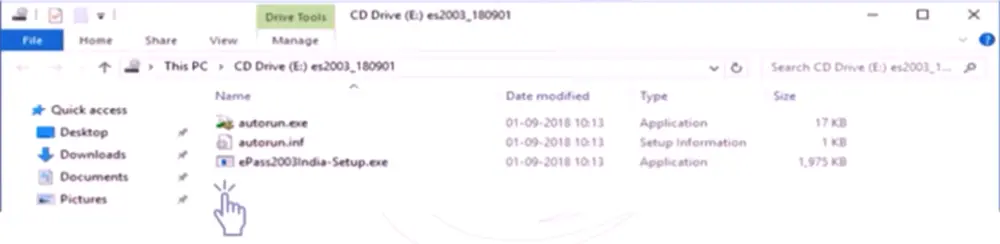
Now a dialogue box appears, click on yes, select the preferred language and proceed. The setup wizard will appear, click next, choose the folder to install the ePass2003 and click next to continue.
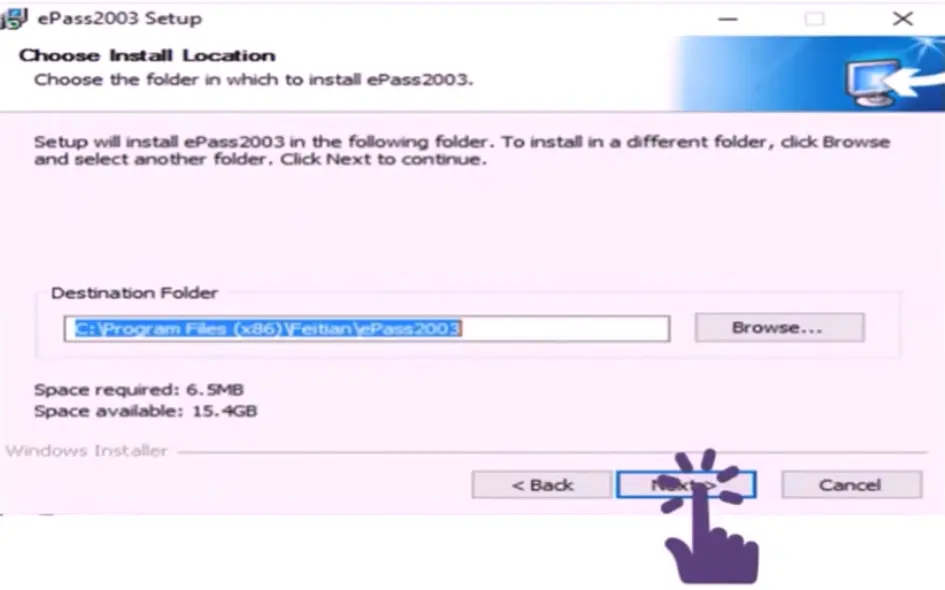
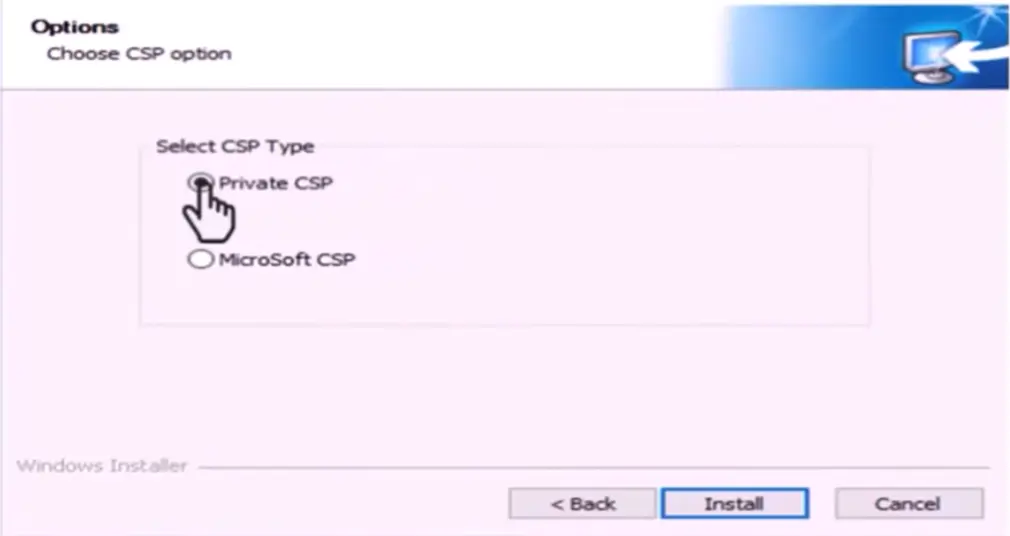
Choose ”Private CSP" and click on the install button to complete the installation process. Once it is successfully installed, click on the finish button.
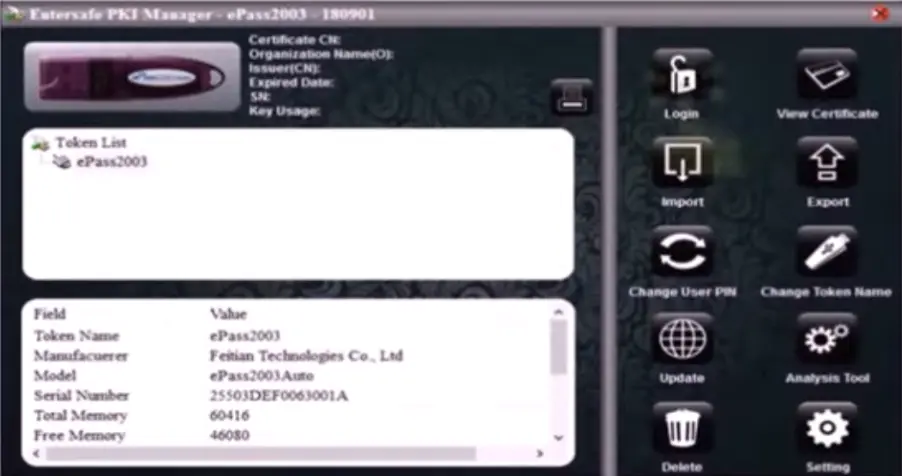
Create a new PIN for your USB Token to download the Digital Signature Certificate. First, search for the epass2003 Token Manager in the Windows search bar and open it. Enter the default PIN "12345678", then click on Change User PIN from the right side menu bar.
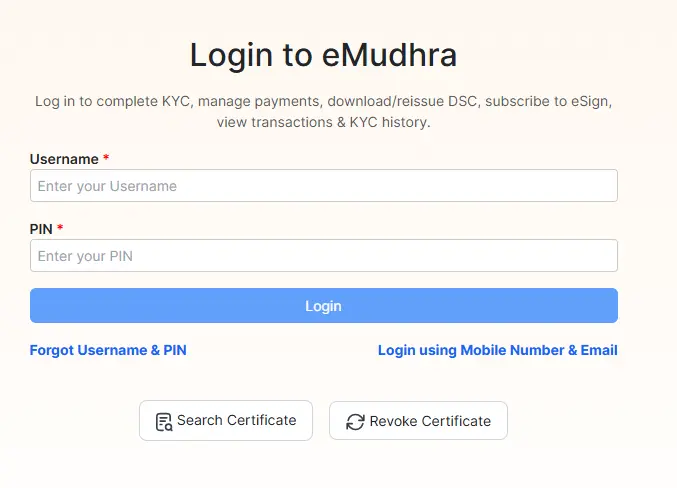
Go to the Certifying Authority website https://emudhradigital.com/ and log in through a mobile number and an email ID if you are an existing user login through a username and PIN to proceed with downloading.
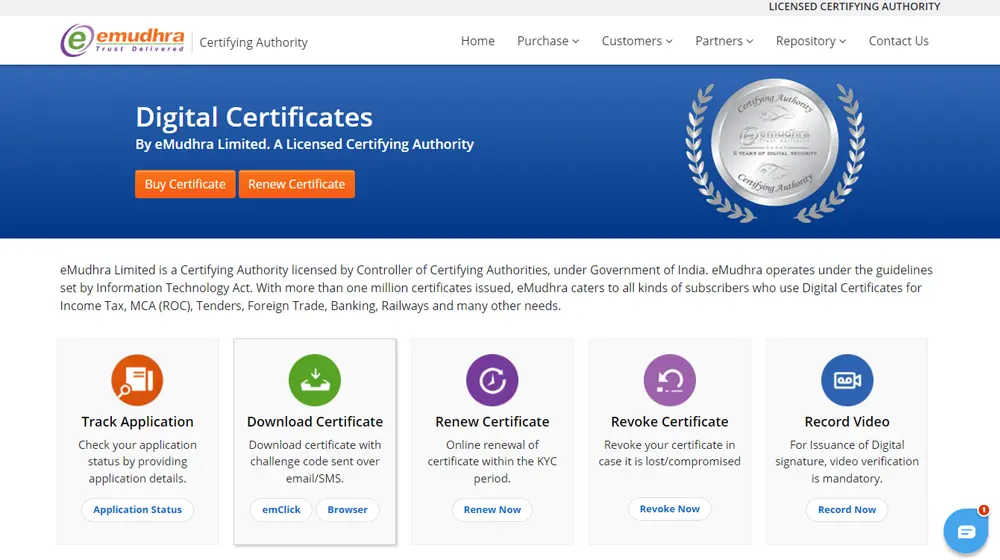
After logging in, you need to search for a DSC Download option and double-click on click button to continue the download procedure.
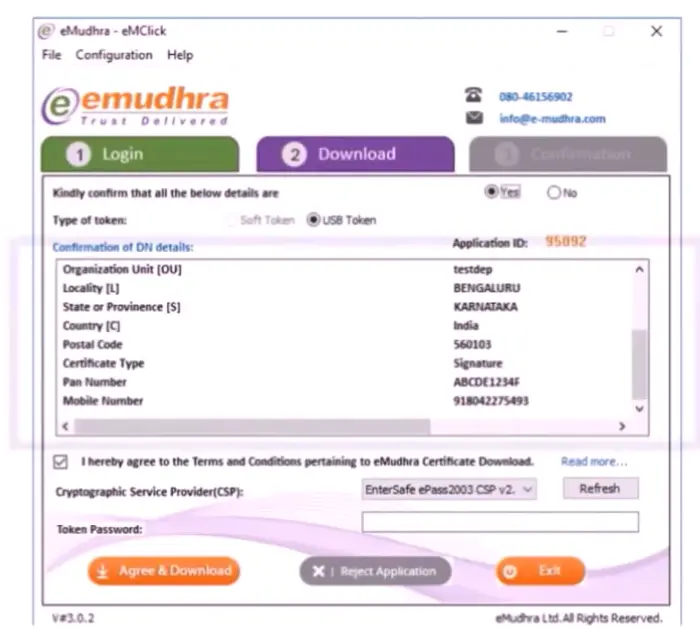
To verify the applicant's details, enter your application number and the challenge code sent to your registered mobile number. Then enter the token password and click on the “agree and download " button.
Conclusion
You're Ready to Sign Digitally
We have got you covered on the process of downloading a Digital Signature Certificate (DSC), which is a simple and essential step to ensuring secure, authenticated online transactions. Knowing the correct process, from installing the required drivers to setting up your USB Token PIN, leads you to access and use DSC for various official and professional purposes. Having a DSC is a smart and reliable way to manage your online identity efficiently.
Related Articles: